
Evaluates string values and fields.
Accepts a string value X as input. It evaluates the string’s character length and returns the count of a character’s number in the string.
Syntax:
| process eval("identifier=len(X)")
Example:
| process eval("message_length=len(message)")
| fields message, message_length

Using len function
Here, the query counts the message field’s character length and returns the result in the message_length identifier.
The fields command displays the value of the message and message_length in a tabular form.
Accepts two arguments: a string value X and a source string Y. It returns true if X is a substring of Y. The substring can be at any position of the source string.
Syntax:
| process eval("identifier=issubstr(X,Y)")
Example 1:
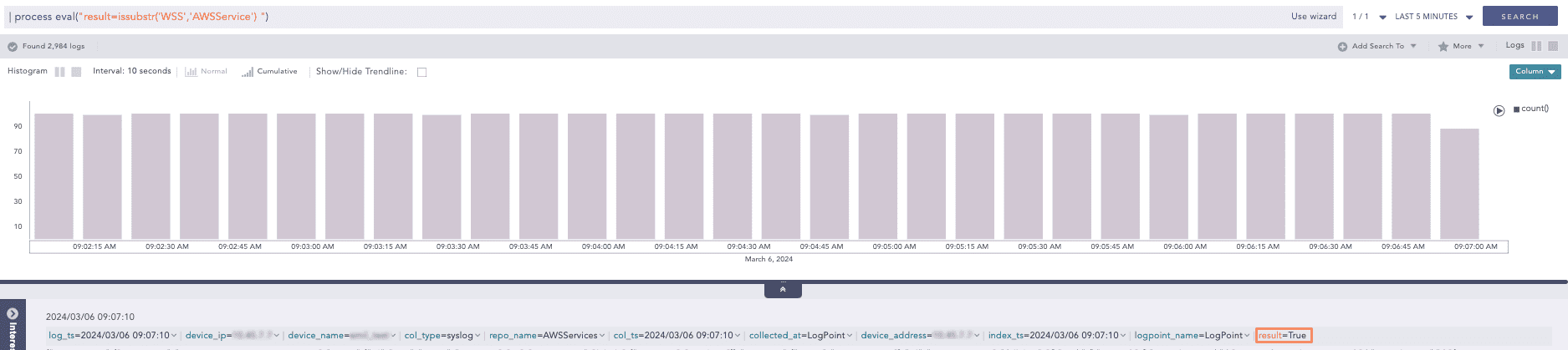
| process eval("result=issubstr('WSS','AWSService') ")
Using issubstr function
Here, the query returns true value in result field as WSS is sub string of AWSService.
Example 2:
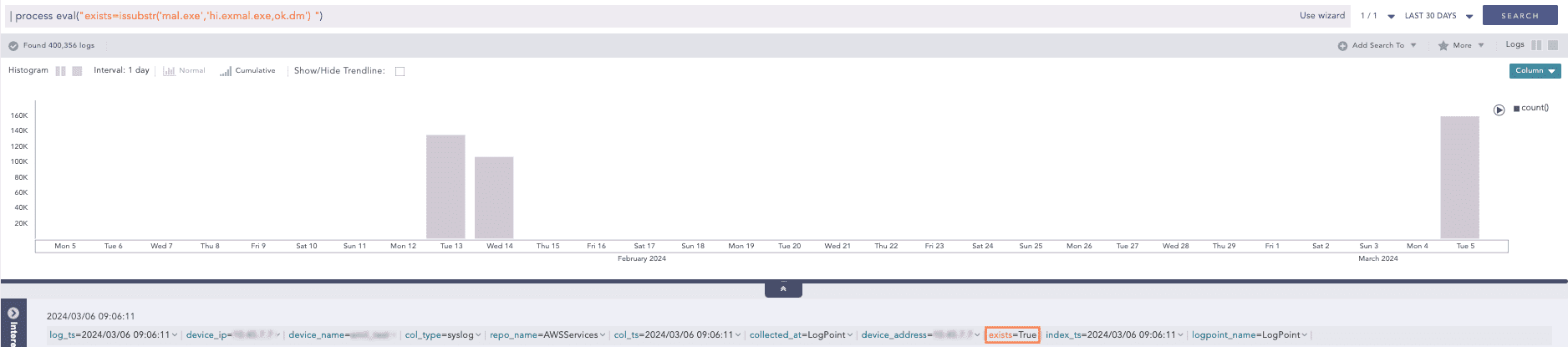
| process eval("exists=issubstr('mal.exe','hi.exmal.exe,ok.dm') ")
Using issubstr function
Here, the query returns true value in exists field as mal.exe is sub string of hi.exmal.exe,ok.dm.
Accepts up to three arguments, a string value X, a start index and an end index. It evaluates the substring of X and returns the substring that starts at the index specified by start_index and ends at the index specified by end_index. Here the end_index is exclusive.
Syntax:
| process eval("identifier=substr(X, start_index, end_index)")
Example:
| process eval("substring=substr(col_type, 0, 4)")

Using substr function
Here, the query checks the col_type event’s substring starting at 0 index and ending at 4 index and returns the result in substring identifier.
Accepts only one string argument X as input. It converts the string to lowercase and returns the converted string value.
Syntax:
| process eval("identifier=lower(X)")
Example:
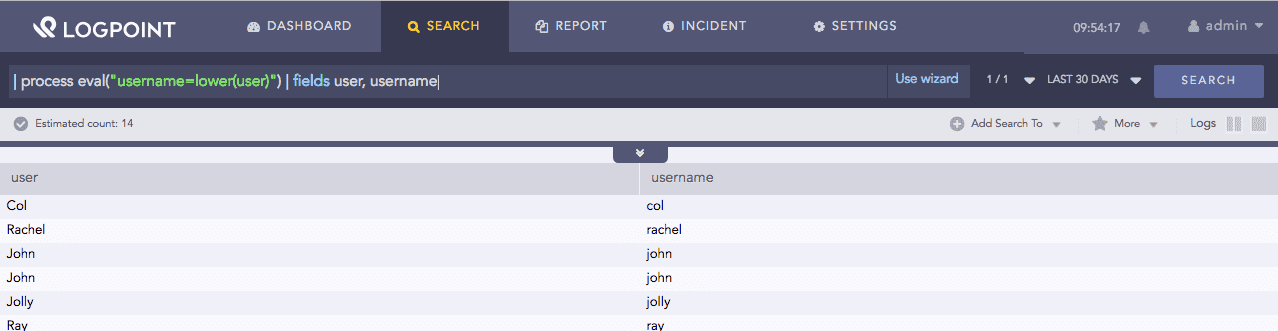
| process eval("username=lower(user)") | fields user, username
Using lower function
Here, the query converts the user field value to lowercase and returns the result in the username identifier.
The fields command displays the value of user and username in a tabular form.
Accepts only one string argument X as input and converts the string to uppercase and returns the converted string value.
Syntax:
| process eval("identifier=upper(string_value)")
Example:
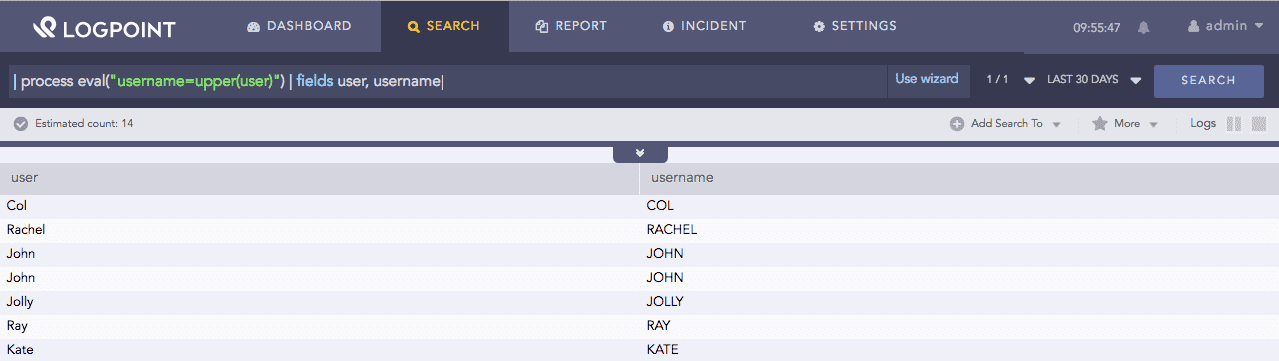
| process eval("username=upper(user)") | fields user, username
Using upper function
Here, the query converts the user field value to uppercase and returns the result in the username identifier.
The fields command displays the value of user and username in a tabular form.
Accepts only one string argument X. It trims the spaces to the left and right in the string and returns a trimmed value. Trailing spaces are the white spaces located at the end of a line, without any other characters following it, for example blank spaces and tabs.
Syntax:
| process eval("identifier=trim(X)")
Example:
| process eval("username=trim(' Bob ')")

Using trim function
Here, the query removes the spaces to the left and right from Bob and returns the trimmed value in the username identifier.
Accepts up to two string arguments X and Y as input. It trims the string Y from the left side of the field X and returns a trimmed value. If Y is not defined, it trims the spaces from the left side.
Syntax:
| process eval("identifier=ltrim(X, Y)")
Example:
| process eval("result=ltrim(device_name, 'local')")

Using ltrim function
Here, the query removes the string local from the left side in the value of the device_name field and returns the trimmed value in the result identifier.
It takes up to two string arguments: X and Y. It trims Y from the right side of the X field and returns a trimmed value. If Y is not defined, it trims the trailing spaces from the right side.
Syntax:
| process eval("identifier=rtrim(X, Y)")
Example:
| process eval("result=rtrim(device_name, 'host')")
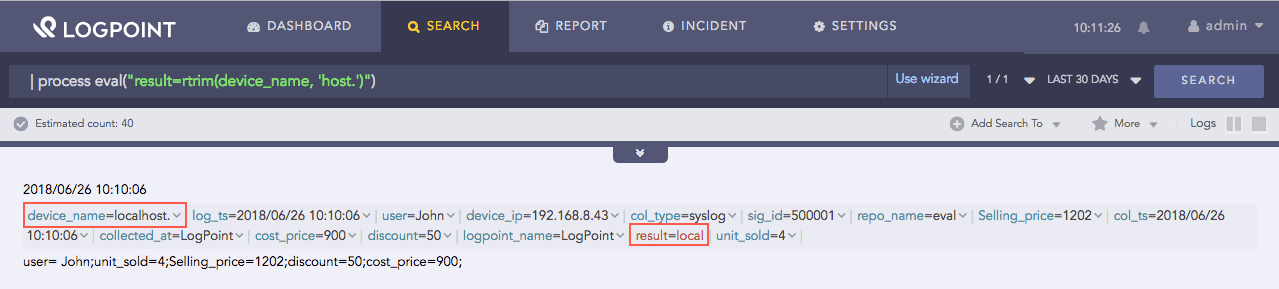
Using rtrim function
Here, the query removes the host string from the right side of the device_name field value and returns the trimmed value in the result identifier.
Accepts three arguments as input: a string X, a regex string Y and a string Z. It substitutes the string Z in the string X for every occurrence of the regex string Y and returns a string value.
Syntax:
| process eval("identifier=replace(X, Y, Z)")
Example:
| process eval("result=replace('123', '[0-9]', 'X')")
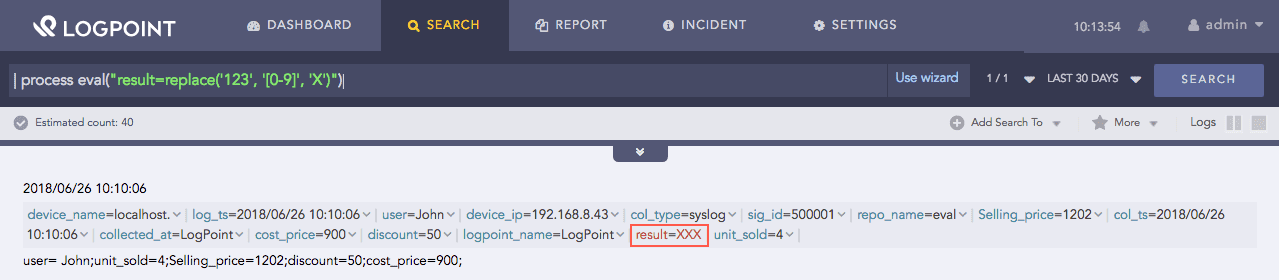
Using replace function
Here, the query substitutes X in the 123 string for the every occurence of the [0-9] regex string and returns the replaced value in the result identifier.
Accepts two arguments: X and Y. It returns a value extracted from the structured data type in X, based on the location path in Y.
Syntax:
| process eval("identifier=spath(X, Y)")
X: The structured data type in XML or JSON format.
Y: The XML or JSON formatted location path.
Example 1:
| process eval("usern=spath('<name>john</name>', 'name')")
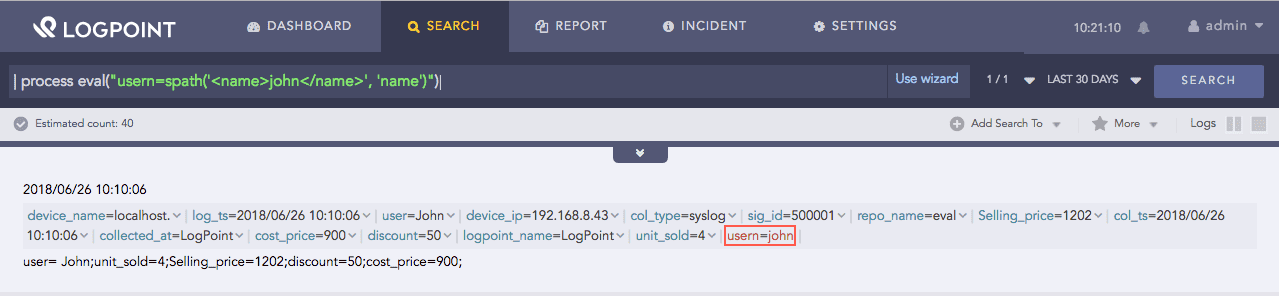
Using spath function
Here, the query extracts the value from the name location and returns it in the usern identifer.
Example 2:
| process eval("usern=spath('{name:\john\}', 'name')")
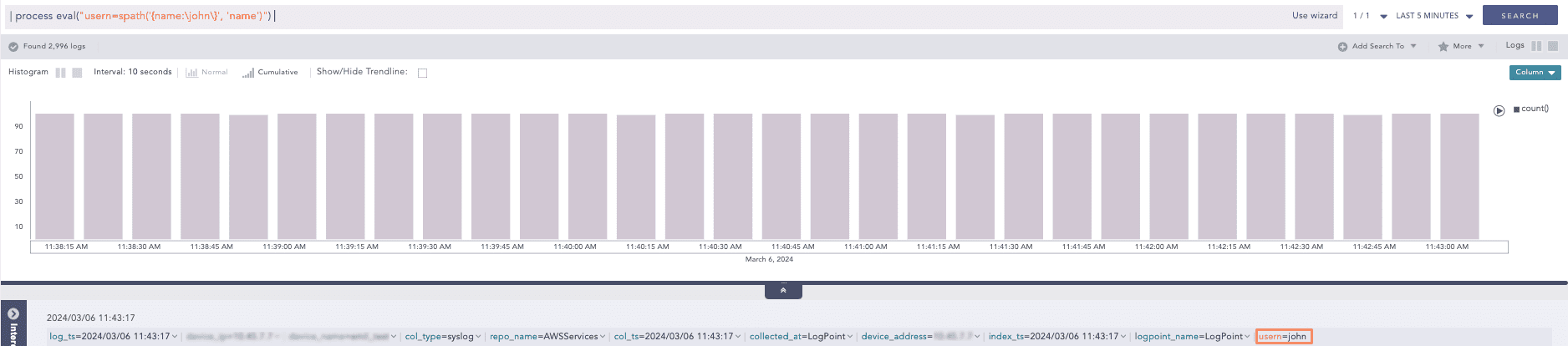
Using spath function
Here, the query extracts the value from the name: location and returns it in the usern identifer.
Note
For JSON format data,
Keys must be without quotes. LogPoint currently does not support nested quotes.
If the value of any key is a string, replace quote with backslash as shown in Example 2 above.
For example, the JSON data is in a key-value pair. Where, keys and values must be within double quotes {“name”:”John”}. However, while using the spath function, the JSON data is written as {name:\john\}.
Accepts an escaped URL character X, for example http://www.logpoint.com/download?r=header and returns the decoded or unescaped URL string.
Syntax:
| process eval("identifier=urldecode(X)")
Example:
| process eval("decoded_url=urldecode('http%3A%2F%2Fwww.logpoint.com%2Fdownload%3Fr%3Dheader')")
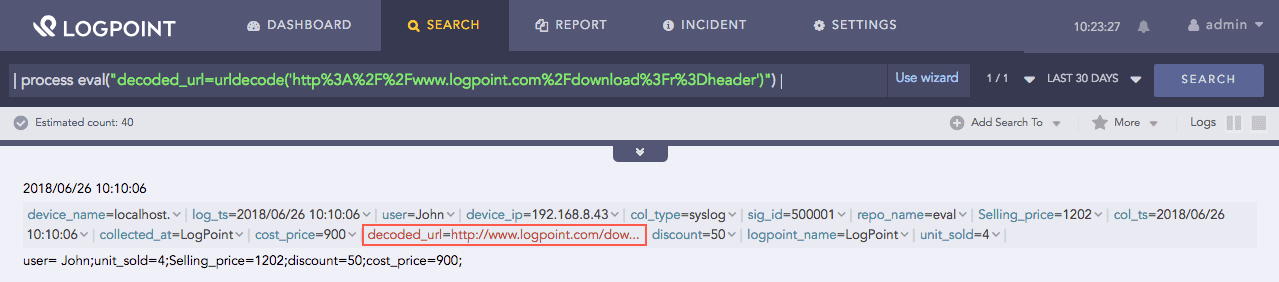
Using urldecode function
Here, the query decodes the escaped url http%3A%2F%2Fwww.logpoint.com%2Fdownload%3Fr%3Dheader and returns the decoded url in the decoded_url identifier.
It generates a random Universal Unique Identifier (UUID) for a log.
Syntax:
| process eval("X=uuid()")
Example 1:
| process eval("id=uuid()")
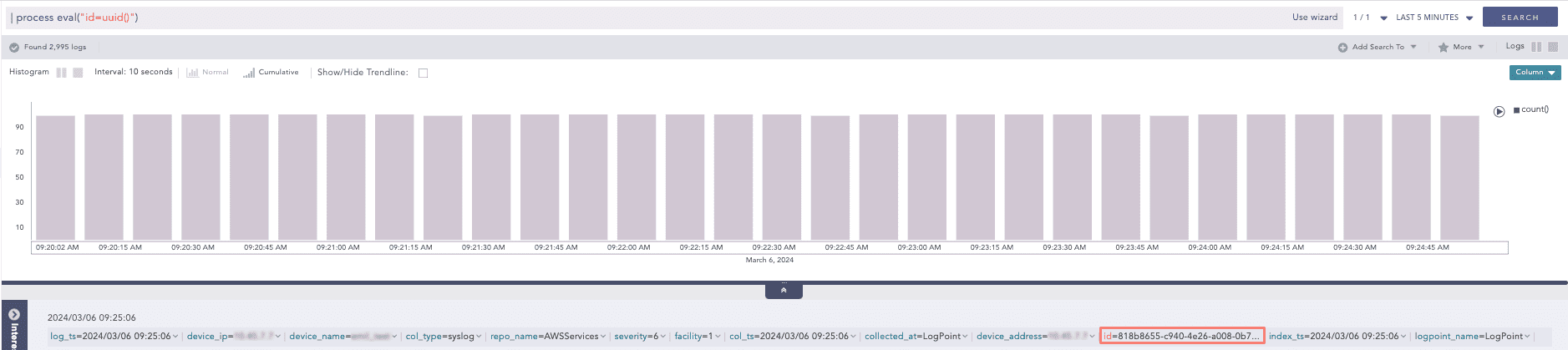
Using uuid function
Here, the query generates a random uuid for the log and returns the uuid in the id field.
Example 2:
| process eval("random_id=uuid()") |chart count() by uuid
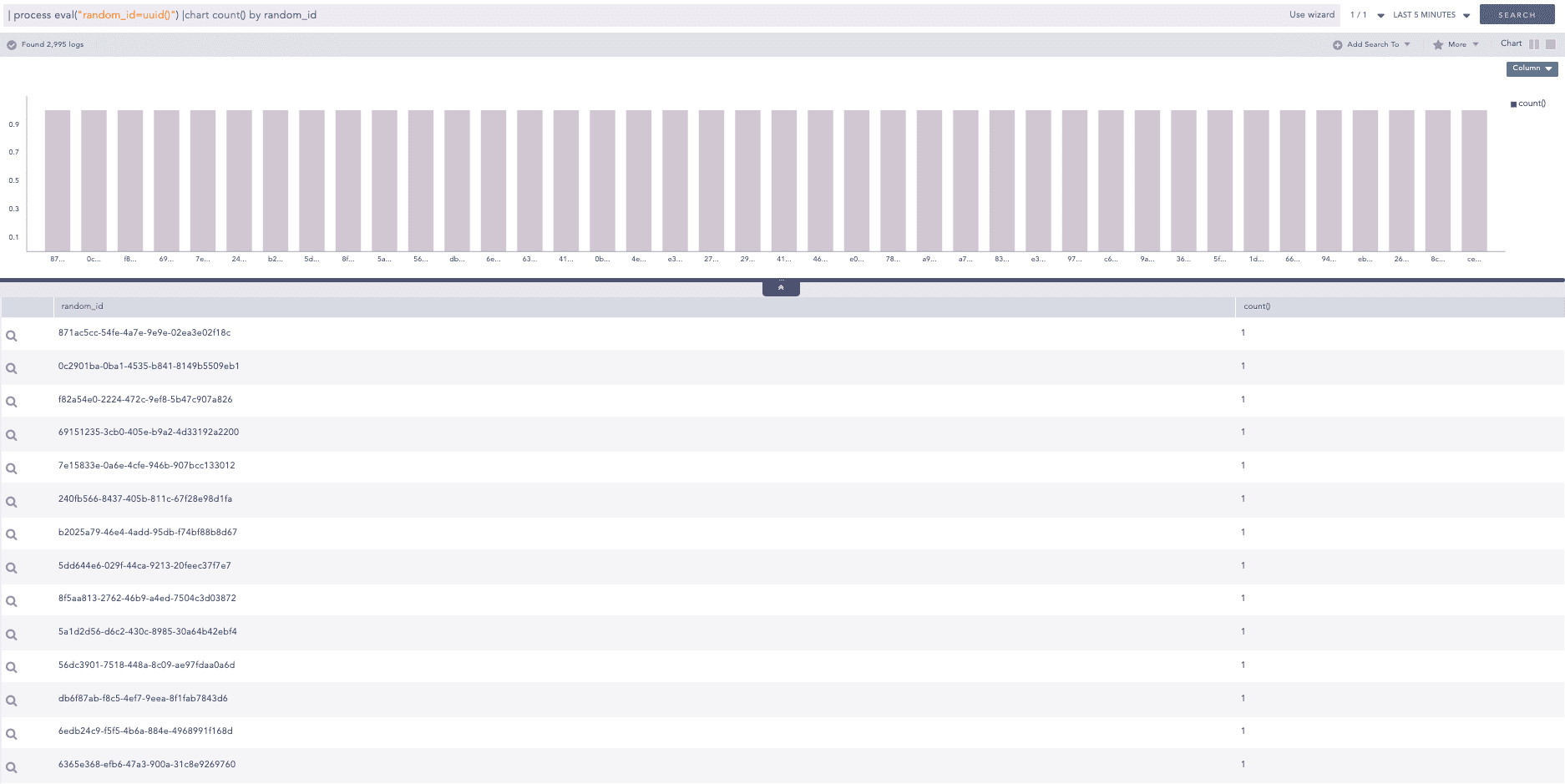
Using uuid function
Here, the query generates a random uuid for each log and returns the count of uuid in the random_id field.
It decodes the Multipurpose Internet Mail Extensions (MIME) encoded values. It accepts an argument: an encoded string, for example, =?utf-8?B?MTIzIFRlc3Rp?= or a field with a valid MIME encoded string with metadata.
Syntax:
| process eval("X=mimedecode(Y)")
Example 1:
| process eval("result=mimedecode('=?utf-8?B?MTIzIFRlc3Rp?=')")
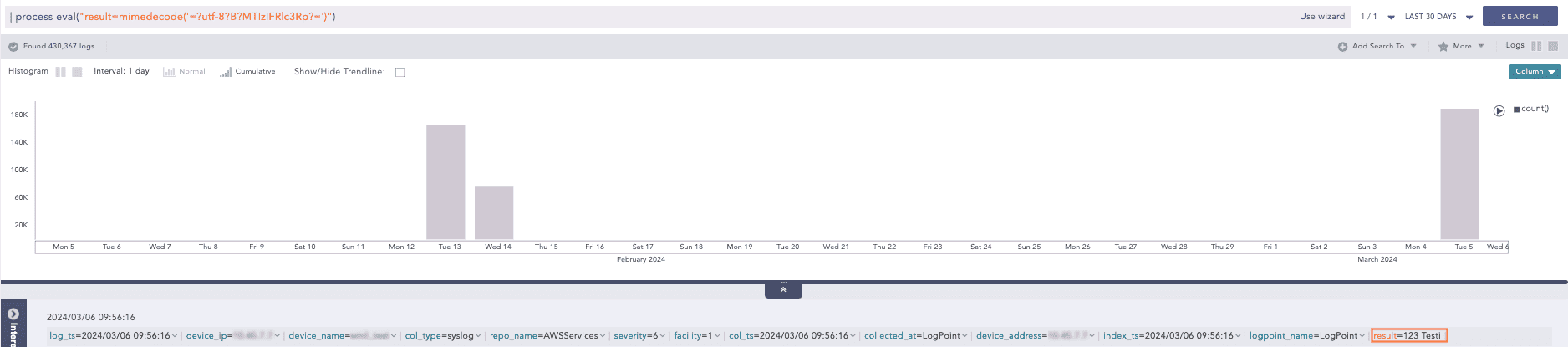
Using mimedecode function
Here, the query decodes the encoded string ‘=?utf-8?B?MTIzIFRlc3Rp?=’ and returns the decoded value in the result field.
Example 2:
| process eval("result=mimedecode('Subject: =?iso-8859-1?Q?=A1Hola,_se=F1or!?=')")
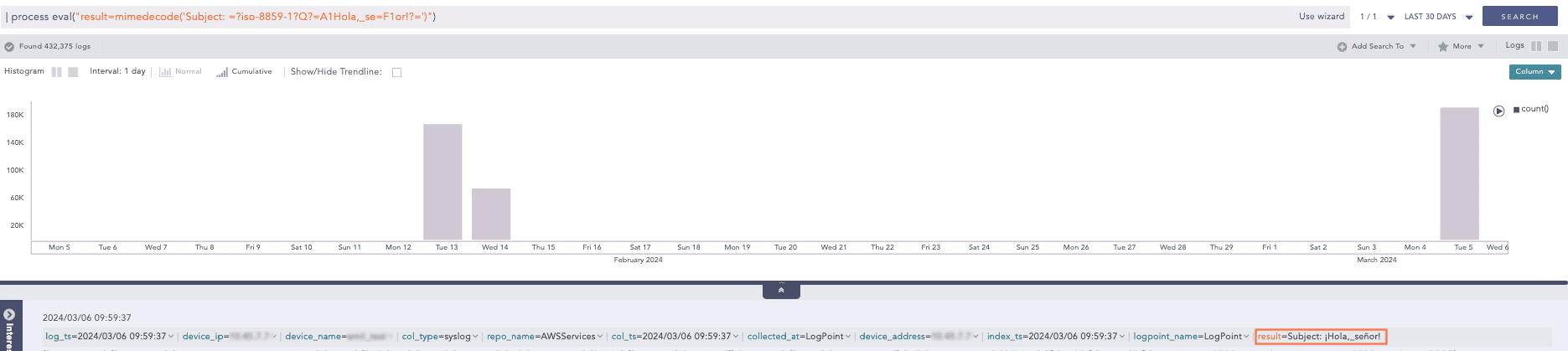
Using mimedecode function
Here, the query decodes the Subject field and returns the decoded value in the result field.
Use Case 1:
mimedecode() eval command chaining.
Query
| process eval("result1=mimedecode('=?UTF-8?B?U3ViamVjdDogPT9pc28tODg1OS0xP1E/PUExSG9sYSxfc2U9RjFvciE/PQ==?=')")
| process eval("result2=mimedecode(result1)")
Encoded String
U3ViamVjdDogPT9pc28tODg1OS0xP1E/PUExSG9sYSxfc2U9RjFvciE/PQ==
Charset/encoding
iso-8859-1 -> UTF-8
Type
Query Printable -> Base64
Result 1
Subject: =?iso-8859-1?Q?=A1Hola,_se=F1or!?=
Result 2
Subject: ¡Hola,_señor!
Use Case 2:
mimedecode() working with other eval commands.
Query
| process eval("result1=mimedecode('=?UTF-8?B?U3ViamVjdDogPT9pc28tODg1OS0xP1E/PUExSG9sYSxfc2U9RjFvciE/PQ==?=')")
| process eval("result2=mimedecode(result1)")
| process eval("result3=mimedecode(mimedecode('=?UTF-8?B?U3ViamVjdDogPT9pc28tODg1OS0xP1E/PUExSG9sYSxfc2U9RjFvciE/PQ==?='))")
| process eval("result=result2==result3")
| fields result1, result2, result3, result
Encoded String
U3ViamVjdDogPT9pc28tODg1OS0xP1E/PUExSG9sYSxfc2U9RjFvciE/PQ==
Charset/encoding
iso-8859-1 -> UTF-8
Type
Query Printable -> Base64
Result 1
Subject: =?iso-8859-1?Q?=A1Hola,_se=F1or!?=
Result2
Subject: ¡Hola,_señor!
Result3
Subject: ¡Hola,_señor!
Result
true